How To Evaluate VDR Security For M&A Deals
Judge VDR security by encryption, access control, logs, MFA, and stage-based rules to protect M&A deals.
 Samson JagorasPrincipal & CEO/CIOSeptember 19, 2026
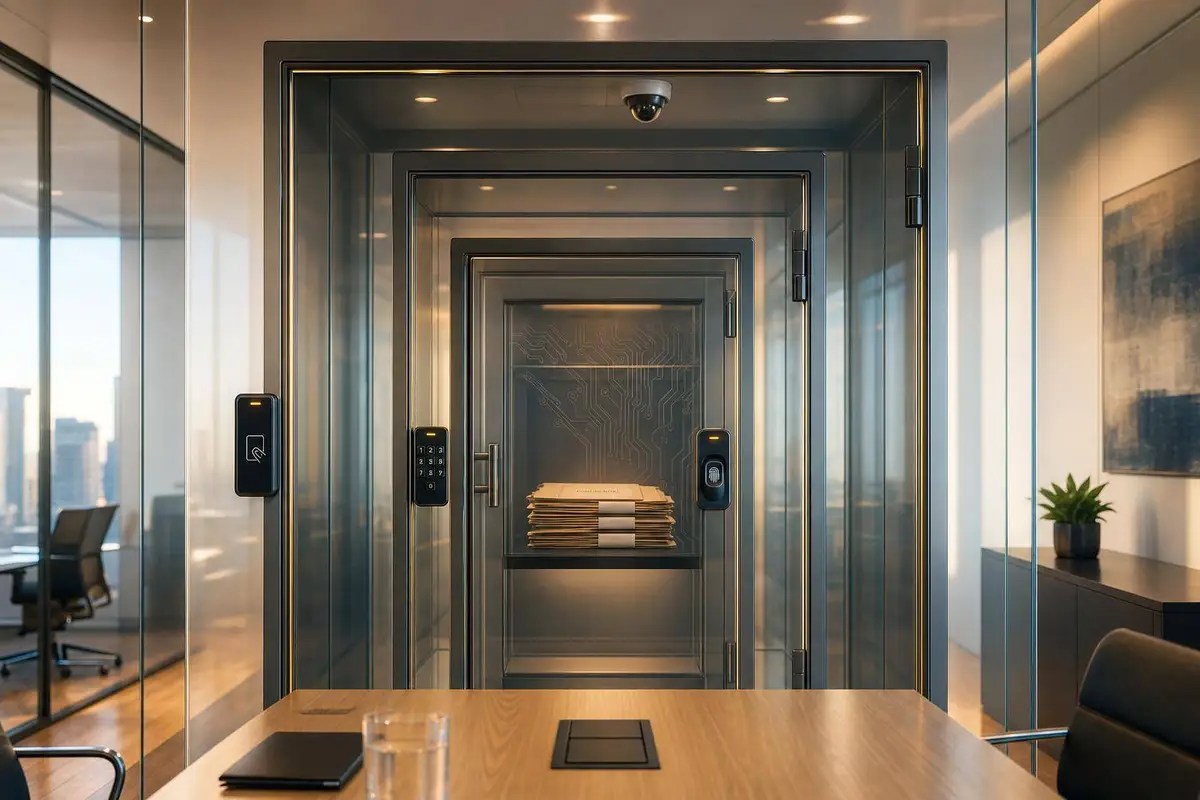
A VDR is only as safe as both the vendor setup and your room setup. If either side is weak, one leak can slow diligence, hurt buyer trust, or put deal terms at risk.
If I were checking a VDR for an M&A deal, I’d focus on two things right away:
- Platform controls: AES-256 at rest, TLS 1.2 or 1.3 in transit, key control, SOC 2 Type II, ISO 27001, U.S. data hosting, backups, uptime, and recovery targets
- Room controls: role-based permissions, MFA for every user, short access windows, fast user removal, watermarks, view-only limits, audit logs, and post-close deletion or archive rules
- Deal-stage rules: buyer access should change from NDA to IOI to LOI to confirmatory diligence to closing
- Proof, not claims: if a vendor can’t show logs, revocation, watermarking, or deletion steps in a live demo, I’d treat that as a warning sign
A few hard checks matter most:
- TLS 1.0 or 1.1? Walk away.
- No SOC 2 Type II? Ask why.
- No MFA for outside users? Don’t use it.
- No clear RTO/RPO or 99.9% uptime SLA? Expect risk during live diligence.
- No audit log for views, downloads, and permission changes? You may not know what happened if there’s a dispute.
What Is a Virtual Data Room VDR Explained

sbb-itb-a3ef7c1
Quick comparison
| Area | What I’d check |
|---|---|
| Encryption | AES-256 at rest; TLS 1.2 minimum, TLS 1.3 preferred |
| Key control | KMS or HSM, key rotation, limited staff access |
| Compliance | Current SOC 2 Type II and ISO 27001, with VDR scope included |
| Hosting | U.S.-region storage and contract language to confirm it |
| Access | RBAC, two-admin visibility, MFA, expiry dates, instant offboarding |
| File controls | Dynamic watermarks, view-only mode, limited download/print |
| Audit trail | User, time, IP, file action, failed logins, exportable logs |
| End of deal | Read-only archive, deletion window, backup and log handling |
Put simply: I’d judge a VDR by how well it limits access, records activity, and locks things down at each stage of the deal.
Check Core Security Architecture Before Reviewing Features
Before you compare feature lists, check the platform’s security base. If it misses the basics, move on.
Encryption Standards, Key Management, And Secure Transmission
The bare minimum is AES-256 at rest and TLS 1.2 or 1.3 in transit. TLS 1.3 is the better option because it uses stronger cipher suites, gives you forward secrecy by default, and drops older weak algorithms. If a vendor still uses TLS 1.0 or 1.1, that’s a deal breaker.
Backups and archives need the same AES-256 standard. A backup is supposed to protect you, not become the weak spot years later when deal files are still sitting around after close.
For key management, ask the vendor point-blank: Who controls the encryption keys, and how are they rotated? Strong providers use a dedicated Key Management Service (KMS) or hardware security module (HSM). They also use automatic key rotation and tight role-based access for internal staff who can touch those keys. If customer-managed keys are available, that gives you extra control for sensitive deals. Get the provider’s key management approach in writing. Counsel, lenders, and auditors will ask for it.
SOC 2, ISO 27001, Data Residency, And Disaster Recovery
Ask for the vendor’s current SOC 2 Type II report and ISO 27001 certificate - under NDA if needed. SOC 2 Type II matters more than Type I because it checks whether controls worked over a set period, not just whether they looked fine on paper. ISO 27001 shows the provider runs a formal Information Security Management System with documented risk assessment and continuous improvement.
Don’t stop at the cover page. Check the scope of both documents. The VDR platform and its hosting environment need to be clearly included. Then review the exceptions section in the SOC 2 report. Unresolved control gaps or open remediation timelines are a red flag.
For data residency, confirm where your data physically sits. U.S.-only hosting makes regulatory review and lender review much easier, especially when the deal includes tax records, customer PII, and financial statements. Ask whether the vendor can make a contractual commitment to U.S.-region storage for your deal, then save that choice in your deal file.
For disaster recovery, look for a published uptime SLA of 99.9% or higher. Also ask for defined RTO/RPO, tested recovery procedures, and the current uptime SLA. In a tight auction or under a lender deadline, VDR downtime can slow diligence and rattle buyer confidence.
Use these standards as a fast screening tool:
| Criteria | Minimum Acceptable Standard |
|---|---|
| Encryption at rest | AES-256 for all documents, backups, and archives |
| Encryption in transit | TLS 1.2 minimum; TLS 1.3 preferred |
| Certifications | Current SOC 2 Type II + active ISO 27001 (VDR and hosting in scope) |
| Backups and DR | Encrypted backups; defined RTO/RPO; tested recovery procedures; 99.9% or higher uptime SLA |
| Data residency | U.S.-region hosting option; contractual residency commitment available |
| Key management | KMS or HSM; automatic rotation; restricted access; customer-managed keys available |
Once a platform passes this baseline, then it makes sense to review access control, admin rights, and user provisioning.
Evaluate Access Control, Admin Rights, And User Provisioning
After encryption and compliance checks, the next test is simple: who can open each file, and when does that access stop? Start with permission design. Then review admin control. After that, make sure offboarding is tight. You also need clear rules for who can view, download, upload, and approve changes.
Role-Based Permissions And Two-Person Admin Oversight
A strong VDR should support granular, role-based access control (RBAC). That means permissions are tied to a person’s job in the deal, not just their name. At a minimum, you should be able to control view, download, print, upload, edit, and Q&A access for each user or group.
View-only is the safest default for early-stage buyers. Download and print rights should usually come later, stage by stage, once a buyer has signed an LOI or a lender has entered committed diligence. Upload and edit rights should stay mostly with your internal deal team and seller-side advisors. Q&A access should also be limited so each buyer group sees only its own questions, not another bidder’s.
On the admin side, don’t rely on one unrestricted super-admin. A better setup is at least two admins - for example, your lead M&A advisor and your internal deal lead - with both able to see permission changes. High-risk actions should either need two-admin approval or, at the very least, be visible to both admins. That shared check helps cut down on setup mistakes and insider risk.
Once admin control is in place, the next step is locking down authentication and access expiry.
MFA, SSO, Expiring Access, And Fast Offboarding
Mandatory multi-factor authentication (MFA) should apply to every account in the room, both internal and external. Use authenticator apps or hardware keys instead of SMS. SSO can make onboarding easier and helps when you need to suspend access after a role change. Before activating any new invite, review the person’s role, firm, and need-to-know scope.
Set automatic expiration dates when access is granted. Early-stage bidders at the NDA or IOI stage should have access that expires 7–14 days after the relevant deadline unless you extend it manually. If a bidder drops out or a lender gets replaced, the admin should be able to deactivate that group at once and end active sessions on web and mobile. Build that step into your deal checklist so access is removed the moment a party is no longer involved.
How To Map Access By Deal Party
Before inviting users, build a permission matrix. Map access by deal party before diligence starts. Use the principle of least privilege: figure out what each role needs to do, then set group templates in the VDR so new users inherit the right permissions without extra manual work.
Here’s a practical starting template:
| Deal Party | View | Download | Q&A | Admin Rights | |
|---|---|---|---|---|---|
| Seller (internal) | Yes | Yes | Yes | Manage all | Full |
| Buyer | Yes | Limited | No | Own only | None |
| Lender | Yes | Yes | Limited | Own only | None |
| Accountant | Yes | Yes | Limited | Own only | None |
| Attorney | Yes | Limited | No | Own only | None |
After you configure the room, use the VDR’s "view as user" feature to test each role from the user’s side. Make sure blocked actions stay blocked. Also confirm that sensitive folders - like HR files, customer lists, and proprietary IP - are hidden from parties that shouldn’t see them.
Use this access matrix as your baseline before moving on to activity logs and document controls. Then check that every access change appears in the audit trail.
Ready to Make Your Next Move?
Whether you're buying, selling, or investing — Clearly Acquired gives you the tools, data, and support to close with confidence.
Audit Trails, Document Controls, And Retention Policies
Once your access matrix is set, the next step is simple: can you show what happened in the room, and can you contain damage if something goes sideways? That’s the job of audit trails and document controls. One creates the record. The other cuts risk. Start by checking the logs, then test the controls that limit exposure.
Activity Tracking That Supports Diligence And Risk Monitoring
A solid VDR should log every meaningful action, including document views, downloads, prints, uploads, deletions, Q&A submissions, permission changes, and failed login attempts. Each log entry should connect to a specific user, timestamp, and IP address. That detail matters. If a dispute comes up after closing, a log that only says file accessed doesn’t tell you much.
The logs should also be tamper-resistant, ideally immutable or write-protected, so the record can’t be changed later. They should also be exportable by user, document, folder, or date range in a standard format like CSV or PDF. That way, legal counsel can pull a clean record without special software.
A simple test works well here:
- Ask the vendor to show who viewed the financial model on a specific date
- Ask whether that person downloaded it
If the platform can’t show that clearly, the reporting is too weak for M&A use.
Repeated views or failed login attempts can also point to unusual activity before it turns into a bigger issue. From there, test whether the room blocks copying, printing, and uncontrolled sharing.
Watermarks, View-Only Mode, Download Limits, And Remote Revocation
Document controls are your second line of defense after access permissions. They show whether those permissions hold up in practice. Dynamic watermarking is the first thing to check. Use dynamic watermarks that stamp the viewer’s name or email, IP address, and timestamp on every page.
For your most sensitive files, like customer lists, executive compensation, and draft purchase agreement terms, enforce view-only mode with no download or print rights. This helps confirm that file-level controls work as expected. Some platforms also offer remote revocation, which lets you revoke access after a file has been downloaded. That can matter a lot if a bidder drops out mid-process or a conflict pops up without warning.
Before the room goes live, run a test. Upload a sample file, sign in as a test user with restricted permissions, and confirm that blocked actions stay blocked. Then make sure those blocked attempts appear in the audit log. After that, check what happens to the room when the deal ends.
Retention, Archiving, And Deletion After The Deal
Ask how the room is handled after closing, or after a failed deal, before you pick a platform.
At a minimum, confirm whether the room can switch to read-only archive mode after closing, so the final deal file stays preserved and no one can change it. For failed processes, check whether there’s a defined window, usually 30 days, for deleting bidder data and uploaded materials. Then ask whether deletion covers the active room, backups, and system logs. Vague answers here are a red flag.
The table below gives you a quick way to compare vendors on the controls that matter most:
| Control | What to Verify |
|---|---|
| Watermarks | Dynamic per session (name, IP, timestamp) - not a static logo |
| View-Only Access | Blocks download, print, and copy on sensitive files across desktop and mobile |
| Revocation | Immediate deactivation of active sessions; remote revocation for downloaded files where available |
| Archive Options | Room switches to read-only after close; exportable closing binder available |
| Deletion Policy | Covers active storage, backups, and logs; certificate of destruction available on request |
If a vendor can describe these features but can’t show exactly how they work in a live transaction, that’s a serious gap. For example, if a user is revoked, can they still open a cached copy? In M&A, the controls that count are the ones you can verify, not the ones sitting on a features page.
Configure Buyer Access By Deal Stage And Apply A Security Checklist

VDR Buyer Access by M&A Deal Stage: Permissions & Security Controls
Set Buyer Permissions By Stage: NDA, IOI, LOI, Diligence, Closing
Once you've set permissions and audit controls, tie them to each deal milestone. Do this before the room opens, so access grows only when a buyer shows more commitment and has the right legal coverage in place. These stage-based rules sit on top of the role-based access, audit logs, and document controls you already set up.
At the teaser stage, buyers should see only anonymized teaser data. In most cases, the VDR isn't open yet. After an NDA is signed, you can open a limited folder set that includes the CIM and high-level financial summaries. When a buyer submits an IOI, access can expand to monthly financials, KPIs, and operating summaries.
By the LOI stage, buyers usually need deeper access. That often includes detailed financials, tax returns, customer concentration reports, and selected contracts. The most sensitive files should still stay in separate clean-team folders. During confirmatory diligence, access becomes much broader: HR, legal, operational, and IT files all come into play. Even then, permissions should still vary by party type, such as buyers, lenders, and advisors. At closing, most folders should move to read-only, and lender access should be removed once their review is done.
| Deal Stage | Document Access | Permissions | Q&A | Audit Focus |
|---|---|---|---|---|
| Teaser | Anonymized overview only | No VDR access or a very limited folder set | No VDR Q&A; teaser clarifications handled outside the room | Marketing reach |
| NDA | CIM, high-level financials | View-only, watermarked, MFA required | All questions through VDR Q&A; no direct management outreach | Initial logins, time in room, document views |
| IOI | Monthly financials, KPIs, operational overviews | View-only, restricted downloads, watermarks enforced | Financial queries through the VDR Q&A module | Download patterns, unusual access frequency |
| LOI | Detailed financials, tax returns, top customer analyses, key contracts | Limited downloads for advisors, IP restrictions on sensitive files | Direct management interaction permitted; all materials uploaded to the VDR | Sensitive folder access, exports, admin changes |
| Confirmatory Diligence | HR, legal, operational, IT, clean-team folders | Role-based by party type; view-only for highest-risk files | Categorized threads for financial, legal, and HR questions; SLA expectations set | Complete activity logging, cross-check access vs. signed NDAs |
| Closing | Final purchase agreement, schedules, financing documents | Most folders read-only; lender access revoked after review | Final confirmation of reps and warranties | Document versioning, final compliance audit |
Use Centralized Workflows To Reduce Security Gaps
To avoid gaps between legal approval and room access, connect NDA status straight to VDR provisioning. This is where teams often slip. If NDAs, buyer checks, and VDR admin live in separate tools, every handoff creates one more chance for someone to miss a step.
A centralized workflow keeps NDA execution, buyer verification, and VDR access in one place. When a buyer's NDA status changes, permissions change with it. Your deal team also gets a clean audit trail without scrambling through emails, spreadsheets, and manual updates when things get busy.
Use this stage map as your final pre-launch check before the first buyer enters the room.
Conclusion: Security Questions To Ask Before You Choose A VDR
The right VDR isn't the one with the longest feature list. It's the one that helps your team protect confidentiality at every stage while still moving fast enough to close.
FAQs
What security features matter most in a VDR for M&A?
Prioritize encryption for data at rest and in transit, role-based access control, and detailed activity logs for auditing. Also check for multi-factor authentication, automated watermarking, remote access revocation, and compliance with standards like SOC 2 or ISO 27001.
Clearly Acquired supports these needs with automated NDA deployment, user verification, encrypted data rooms, and real-time dashboards for permissions and document activity.
How should VDR access change during each deal stage?
VDR access should get tighter or looser based on the deal stage and each party’s role. That’s why it helps to look for role-based access control, multi-factor authentication, activity logs, watermarking, and remote access revocation. These features let admins change permissions as due diligence moves forward, without making the process messy.
You’ll also want to confirm that the VDR uses encryption in transit and at rest. On top of that, check whether it meets standards such as SOC 2 or ISO 27001.
What should I ask about VDR logs, backups, and deletion?
Ask how the VDR handles activity logs, backups, and deletion. You should also check whether it supports encryption at rest and in transit, role-based access control, multi-factor authentication, watermarking, and remote access revocation.
It also makes sense to confirm whether the provider meets standards like SOC 2 or ISO 27001. These checks matter because a VDR isn't just a file storage tool. It's where sensitive deal documents live, move, and get reviewed.
Clearly Acquired supports these needs with secure, encrypted data rooms, automated NDAs, user verification, and real-time dashboards for permissions and document activity.
Related Reading
About the author
Principal & CEO/CIO
Samson Jagoras has 15+ years across finance, real estate, and business acquisitions. He began his career as a Futures & Commodities broker and later served as Chief Strategy Officer of an INC 500 marketing and technology firm, helping scale revenue from $1M to over $100M. Today he buys, builds, and advises a portfolio of companies with a focus on M&A, capital allocation, and operational strategy.