Collaborative Diligence Platforms: Guide for SMB M&A
One shared workspace and issue log prevents SMB M&A diligence from becoming a chaotic scramble.
 Samson JagorasPrincipal & CEO/CIOSeptember 28, 2026
Find and close your next acquisition with expert backing
From sourcing to diligence to close — our buy-side team and platform help you win the right deal at the right price.
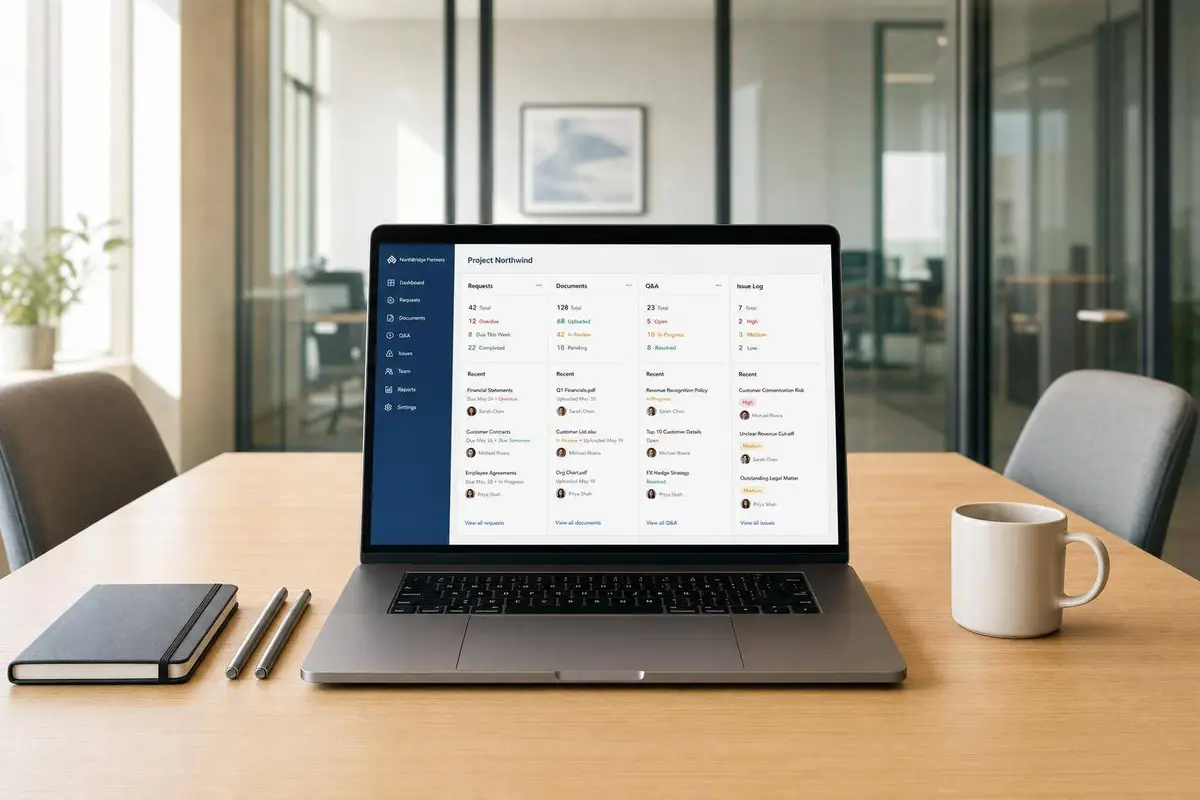
If your SMB deal runs through email and shared folders, you will lose time, miss items, and make closing harder than it needs to be. I’d boil this guide down to one idea: put buyers, sellers, lenders, and counsel in one secure workspace from day one, then track every file, question, issue, and close item in the same record.
Here’s the short version:
- I use a collaborative diligence platform to centralize documents, requests, Q&A, permissions, and close tasks
- I set it up before the first request goes out
- I assign one owner and one backup for each workstream
- I tag every issue as:
- fix before close
- change price or terms
- handle after close
- I keep the same workspace live through:
- LOI to diligence
- underwriting
- closing
- post-acquisition workflow handoff
That matters because post-LOI diligence often runs 30 to 60 days, and small teams do not have much room for drift. A shared system cuts repeat asks, keeps lender and legal review in sync, and leaves a clean record for audits, claims, earnouts, and Day One handoff.
A plain file room stores documents. A collaborative platform does more. It helps me track who asked for what, what is still open, what could block funding, and what rolls into post-close work. In short, it turns diligence from a file exercise into a deal-control process.
If you want the takeaway in one line, it’s this: one workspace, one tracker, one issue log, one close record. That is how I keep SMB M&A diligence from turning into a scramble.

SMB M&A Diligence Workflow: One Workspace, Start to Close
The Complete M&A Due Diligence Process Map (30-Year Practitioner Walkthrough)

sbb-itb-a3ef7c1
Quick comparison
| Option | Main job | Request tracking | Q&A | Close use | Post-close use |
|---|---|---|---|---|---|
| Basic data room | Store files | Manual, often in spreadsheets | Mostly email | Limited | Archive only |
| Collaborative diligence platform | Run the deal process | Live status by item and owner | In-platform record | Tracks deliverables and funding items | Carries open issues into integration |
Below, I’d focus on the parts that matter most: setup, ownership, lender and legal coordination, close tracking, and archive control.
How to Set Up the Deal Workspace Before Requests Start
Set up the workspace before the first request goes out. That one move can turn diligence from a messy document dump into a controlled workflow.
Build the Folder Structure and Access Controls
Start with a simple folder structure:
- Financial & Tax
- Legal & Corporate
- Commercial & Market
- Technology & IP
Then layer in role-based access. Not everyone needs to see everything. For highly sensitive information that can't be shared across the full team, use restricted-access rooms. That way, the right people can review what they need without exposing more than necessary.
Build Request Lists That Match the Deal and Capital Stack
A generic diligence checklist slows everyone down. The request list should match the actual transaction: the target company, the deal structure, and the financing requirements, including SBA and lender conditions. Use the table below to line up each workstream with the documents to request and the issues those documents often surface.
| Workstream | Core Documents to Request | Common Issues |
|---|---|---|
| Financial & Tax | 3–5 years of records, working-capital detail, tax returns | Inconsistent support; unexplained balance-sheet movements |
| Legal & Corporate | Ownership records, material contracts, employment agreements | Ownership conflicts with records; non-transferable contracts |
| Commercial & Market | Customer revenue mix, renewal/churn summary, forecast support | Customer concentration risk; forecasts conflict with actuals |
| Technology & IP | IP registrations, software licenses, product documentation | Core IP not clearly owned by the company |
As diligence moves forward, push findings into an execution tracker with assigned owners, priorities, and closing impact. Track each item by review stage, owner, and closing impact. Every open item should be labeled as resolve before close, price/protection adjustment, or post-close integration task.
That makes ownership clear early, before the first round of uploads even starts.
Use Clearly Acquired as the Central Execution Hub
Use Clearly Acquired as the central workspace for secure rooms, NDAs, request tracking, and deal execution. Once the workspace is in place, assign owners and run every seller, lender, and legal request from the same record.
Run Diligence Across Buyers, Sellers, Lenders, and Counsel
Once the workspace is in place, the job shifts from setup to live diligence. That means assigning clear owners and routing every request through one record. Use those lanes to set owners, deadlines, and approval paths. Post-LOI diligence usually runs 30 to 60 days.
Assign Roles and Owners for Each Workstream
The easiest way to lose the thread during diligence is simple: two people chase the same document, or one high-risk item sits there with no owner. Each workstream needs one person who owns it, plus a named backup. Before anything is marked complete, run a readiness check.
| Role | Primary Workstream | Platform Access Level | Typical Deliverables |
|---|---|---|---|
| Buyer/Sponsor Lead | Deal Strategy & Terms | Full Admin | Final Purchase Agreement |
| Diligence Coordinator | Project Management | Full Access | Risk Register, Integration Tracker |
| Finance/QoE Reviewer | Financial & Tax | Financial Folders Only | QoE Report, Working Capital Analysis |
| Legal Counsel | Legal & Corporate | Legal Folders Only | Title Opinion, Disclosure Schedules |
| Lender | Debt Underwriting | Finance/Lender Room | Commitment Letter, Funding Conditions |
| Seller/Owner | Data Provision | Upload Only (Restricted) | Tax Returns, Contracts, Employee Lists |
| Post-Close Owner | Post-Close Operations | Full Access | Day One Readiness |
A task should only be marked ready when the owner has signed off and the supporting evidence is linked in the record.
Manage Seller Uploads and Q&A Without Losing Control
Run every seller upload and every question through the same issue log. That keeps the paper trail in one place and cuts down on side conversations that later turn into confusion. For sensitive files, use restricted-access rooms so only the right people can review them.
Coordinate Lender and Legal Review in the Same Record
Lender review and legal review often move in parallel, and if they live in separate places, things get messy fast. Keep them in the same record so the team can see what is open, who asked for it, and when it needs to be done.
| Item | Requested By | Purpose | Timing |
|---|---|---|---|
| QoE Report | Buyer / Lender | Validate EBITDA & cash flow | Days 1–30 |
| UCC Lien Search | Legal / Lender | Confirm clear title to assets | Pre-Closing |
| Material Contracts | Legal | Verify assignability/change of control | Days 8–21 |
| Lender Checklist | Lender | Satisfy underwriting conditions | Days 1–45 |
| IP Assignments | Legal | Ensure company owns core tech | Days 22–35 |
| Working Capital View | Finance | Set closing peg/adjustment | Pre-Closing |
Every open item in the tracker should be tagged as resolve before close, price/protection adjustment, or post-close integration task. If an item could disrupt Day One operations, treat it as a pre-close blocker.
Any item still open at this stage rolls into closing deliverables and funding conditions.
Get a Quality of Earnings analysis you can trust
Use the Platform Through Closing and After the Deal Closes
Keep the workspace active through funding, close, and the Day One handoff. As open items turn into closing conditions, keep them in the same record instead of moving them into separate files or email threads. That same workspace can hold closing deliverables, lender conditions, signatures, and post-close tasks in one place.
Track Closing Deliverables and Funding Conditions
Use one closing tracker for every deliverable, including signature packets, lender conditions, landlord consents, closing schedules, and payoff letters. Give each item a single owner, a named backup, a due date, and a status. Track lender conditions, rate updates, and the capital stack view right alongside closing tasks.
Before funding, run a readiness checkpoint to confirm that Day One items like bank access, billing, collections, and approval rights are assigned and tested. If a problem could disrupt Day One operations, handle it as a pre-close mitigation item, not something to clean up after closing.
That matters for a simple reason: buyers, lenders, and counsel can work from the same record instead of stitching updates together over email.
Create a Defensible Archive and Revoke Access Correctly
Keep a defensible record for audits, indemnity claims, earnouts, and lender follow-up. Once documents are signed, lock the record and revoke external access. Archive the findings report, readiness signoffs, risk register, and Q&A history.
Keep the supporting corporate and legal records too, including ownership records, material contracts, employment agreements, and IP registrations or assignments. Use strict permission controls so external parties lose access while internal teams can still reach the archive.
Extend the Workspace into Post-Close Integration
Anything still open at close should become a post-close task. Turn the risk register into an execution-focused integration tracker. Each open item should have an owner, a named backup, a priority, a dependency, and a target window. That way, unresolved diligence items become the first post-close workstream instead of getting lost after the deal is signed.
Clearly Acquired can keep deal flow, diligence, capital coordination, and post-close execution in one workspace, supporting Day One tasks and post-close action items through a single integration workflow.
Conclusion: What a Good Collaborative Diligence Process Should Deliver
A good collaborative diligence process is a decision system. It tells you whether to walk away, reprice the deal, or move ahead.
Once the workspace and issue log are set up, the team can sort each finding into one of three paths. If documents, requests, Q&A, permissions, lender coordination, and legal review all live in the same workspace, everyone works from the same record. That shared record makes triage much simpler: fix the issue before close, change the price or protection terms, or push it to integration after closing.
The table below shows what the process should deliver at close and after handoff:
| Outcome Category | Deliverable at Closing | Post-Close Value |
|---|---|---|
| Financial | Verified QoE and working-capital reality | Unified reporting cadence and reconciled opening balances |
| Legal/Corp | Clear authority to sell and ownership records | Updated contract ownership and executed consent follow-through |
| Operational | Day One readiness sign-off by function | Documented knowledge transfer and reduced single-person approvals |
| Technology/IP | Verified ownership of critical code and systems | Assigned long-term control owners and retired manual workarounds |
After closing, that same record becomes the team’s operating memory for integration. That’s where the payoff shows up. A controlled record of accepted, renegotiated, and deferred items turns into a playbook the team can use again on the next deal. Clearly Acquired fits here by bringing execution, lender readiness, and post-close handoff into one workflow.
FAQs
When should I set up the diligence workspace?
Set it up before diligence begins, ideally at the pre-LOI stage. When you use a shared diligence platform early, deal tracking, secure document sharing, and workflows all live in one place. That makes it much easier for buyers, sellers, advisors, lenders, and attorneys to work side by side through close and into post-close archives.
Clearly Acquired describes this as a unified operating system for sourcing, AI-assisted diligence, secure data rooms, legal and third-party coordination, lender and SBA coordination, and post-close integration planning.
Who should have access to each workstream?
Access should be based on permissions, so each team sees only the documents, tasks, and messages tied to its role. Collaborative diligence platforms help keep workstreams in order with secure data rooms, automated task tracking, and one place for team communication.
They also help teams turn findings into action items: fix before close, change the price or deal protections, or address the issue after close.
What should stay open after closing?
After closing, the platform should stay active for post-close document archiving, legal and regulatory records, audit trails, and integration workflows.
Clearly Acquired supports this by keeping the deal team, documents, lender and legal coordination, and centralized archives all in one place.
Related Reading
Buy your next business with a full-stack team
Curated deal flow, Clara AI diligence, financing, and done-for-you advisory — all in one place.
About the author
Principal & CEO/CIO
Samson Jagoras has 15+ years across finance, real estate, and business acquisitions. He began his career as a Futures & Commodities broker and later served as Chief Strategy Officer of an INC 500 marketing and technology firm, helping scale revenue from $1M to over $100M. Today he buys, builds, and advises a portfolio of companies with a focus on M&A, capital allocation, and operational strategy.