7 Access Control Risks During SMB Acquisition
Map and revoke unclear SMB access: eliminate shared logins, ex-owner and vendor credentials, orphaned service accounts, and excess admins.
 Samson JagorasPrincipal & CEO/CIOSeptember 10, 2026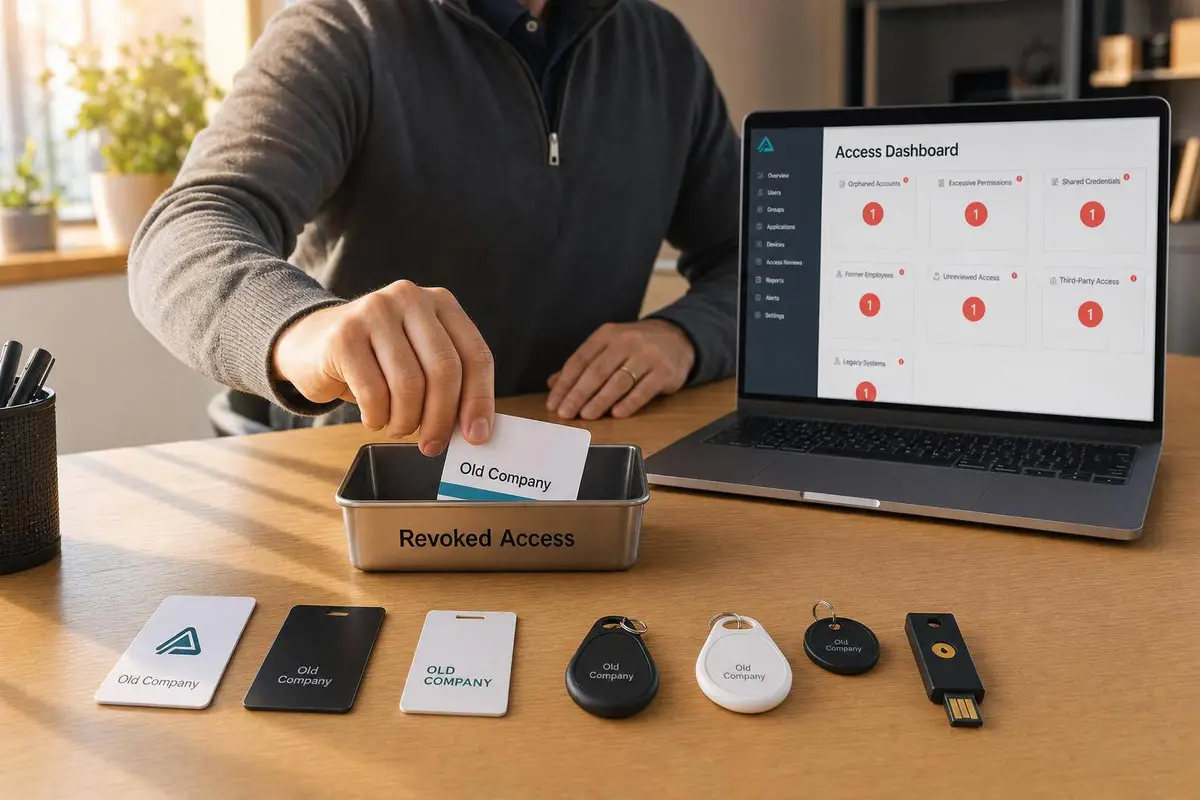
Buy an SMB, and you may also buy hidden access problems. In most deals, the biggest trouble comes from 7 access risks: shared logins, former-owner access, too many admin rights, vendor accounts, orphaned service accounts, poor records, and temporary access that never got removed.
I’d sum it up like this: if I can’t tell who has access, why they have it, and how to shut it off, Day One can get messy fast. The fix is plain: use named accounts, move control to buyer-owned accounts, turn on MFA for top systems, assign an owner to each vendor and service account, and set end dates for short-term access.
A few numbers show the pattern:
- 35.5% of 2024 data breaches involved a third party
- 62% of non-human identities had no activity in the last 90 days but still had access
- 75% of machine identities had no named owner
- One case found 34 former employees with live privileged credentials, with the oldest still active for 3 years and 7 months
- 87% of firms with a privileged-access policy violation reported major business impact
If I were checking a deal, I’d focus on four questions first:
- Are any logins shared?
- Does the seller or any past staff still have access?
- Who has admin rights right now?
- Which vendor and service accounts could break payroll, billing, email, or cash flow?
How to Layer Security the Right Way for Your SMB

sbb-itb-a3ef7c1
Quick Comparison
| Risk | What goes wrong | What I’d do first |
|---|---|---|
| Shared logins | No clean audit trail | Replace with named user accounts |
| Former-owner access | Seller can still get into core systems | Transfer ownership and rotate credentials at close |
| Weak admin rights | Too many people can change top settings | Cut admin access to a short list |
| Vendor accounts | Outside firms hold too much control | Put one buyer-side owner on each vendor account |
| Orphaned service accounts | Hidden automations break or stay exposed | Inventory, label, and assign owners |
| Poor records | No one knows who owns what | Build one access register |
| Temporary access left active | Short-term accounts turn into long-term risk | Disable or expire them in the first 90 days |
That’s the whole article in plain English: assess the IT infrastructure to map access before close, lock down top systems at close, and clean up the leftovers right after. Use a business acquisition checklist to ensure no steps are missed during the transition.
Why Access Control Problems Are Common in SMB Deals
Most small and lower-middle-market businesses were not set up with access governance in mind. In many SMBs, access rules get formalized after the company grows, not at the start.
That usually leads to a familiar pattern. Owners and lean teams share passwords, reuse admin logins, and give vendors broad access so problems can be fixed fast. It works in the moment. But over time, it creates access sprawl: shared accounts, elevated permissions, and undocumented system access that nobody has fully mapped or cleaned up. That’s why the first deal-time control failures often come back to shared logins and stale admin rights.
When access is informal and undocumented, buyers have a hard time checking who got into which systems and who approved which transactions. That gray area slows diligence and puts data integrity under the microscope. It can also lead buyers to ask for tougher deal protections, larger escrow amounts, or deal-specific indemnities tied to pre-close access practices. In some transactions, unresolved access issues even affect purchase price because the buyer has to account for the cost of fixing controls after close.
Vendor access adds another layer of risk. SMBs often give IT providers, payroll processors, and software vendors standing admin access, and in many cases no one inside the business clearly owns that access or handles offboarding. Buyers may find these accounts for the first time at close, with no clean way to shut them off without disrupting billing, payroll, or production systems.
Legacy systems make the mess worse. Older accounting platforms, on-prem servers, and custom line-of-business tools often still run on access models that have not been reviewed in years. As a result, buyers can end up operationally dependent on systems they do not yet fully control. That’s why shared logins are so often the first control failure buyers find.
1. Shared Logins and Untraceable User Activity
Shared logins let several people use the same username and password. That makes it hard to see who did what, and it chips away at accountability in systems that matter most.
In a lot of SMBs, generic accounts like admin, office, or frontdesk are common across banking portals, payroll systems, and CRMs. It feels easy in the moment. Then diligence starts, and the problem shows up fast: the buyer can't tell who changed a setting, approved a payment, or edited a record.
That's why shared logins are one of the first things to check during diligence and again as part of your post-acquisition workflow.
Diligence Visibility
If every action shows up under admin, the audit trail stops being useful. Buyers can't confirm who took an action. Reviews drag on. Accountability disappears.
A simple step helps here: request user-management exports from each critical system and flag any account that isn't tied to a real person by name.
Transition Disruption Risk
The danger gets sharper right after close.
If the new owner resets a shared password to tighten access, they can lock out every user at once, including themselves. On the flip side, a departing stakeholder who still knows that password can still get in, change settings, delete records, or alter data. And because the login is shared, there's no clean way to pin those actions to one person.
Post-Close Continuity Impact
Picture a suspicious transaction after closing, maybe a vendor payment change or a payroll adjustment. The team checks the logs and sees only admin.
That's a dead end.
It slows the review and makes it harder to show lenders, partners, or outside advisors that the business has solid controls in place.
Control Remediation Priority
Start by inventorying every shared account before close. Then replace each one with named accounts for individual users, starting with systems tied to:
- Cash
- Payroll
- Sensitive customer data
Shared admin credentials should be turned into monitored emergency-access accounts with MFA. Those accounts should be kept ONLY for emergencies and watched closely.
After shared accounts are removed, review access one more time to make sure former owners no longer have entry that should have been shut off.
2. Former Owner and Exited Stakeholder Access
Shared logins create a visibility issue. Former-owner access creates a control issue.
When a business changes hands, old owners often still have active logins. Their credentials may stay live across banking portals, QuickBooks, payroll platforms, domain registrars, and core SaaS tools for weeks or even months after close. The main issue isn't whether the seller intended to keep access. It's whether the buyer actually has control.
Diligence Visibility
Ask for a system-by-system list of active users. Then flag any account tied to:
- a former owner
- an exited stakeholder
- a personal email address
- a personal phone number
That review sounds simple, but it often shows who still holds the keys.
Transition Disruption Risk
A former owner who still has billing admin rights or registrar access can knock out banking, payroll, domain services, SaaS tools, email, or the company website.
Here's how that can happen:
- If their payment method expires on a SaaS platform, the service can go dark.
- If they change DNS settings, email and the website can go offline.
One practitioner reported finding 34 former employees with active privileged credentials, with the oldest account still active 3 years and 7 months after the person had left.
In SMB acquisitions, daily operations often depend on a small set of critical systems. That means even a few hours of disruption can delay invoicing, interrupt payroll, or hurt customer trust.
Post-Close Continuity Impact
Old owner access muddies accountability and makes incident response harder.
If something changes in a critical system after close, and the former owner still had admin rights, it becomes much tougher to tell who made the change and why. That slows response time and weakens buyer control. Put simply, if the prior owner can still log in and make changes, the new owner does not fully control the business.
That problem also slows the push to tighten operations and makes it harder for the team to trust the new leadership setup.
Control Remediation Priority
Former-owner access is a Day 0 task. Transfer ownership of banking, payroll, registrar, and core SaaS accounts at or before close. Reset credentials, enroll new MFA devices, and move all accounts to buyer-owned profiles right away.
If the seller still needs to help during the transition, set up a scoped, time-limited advisory account instead. Give read-only access to specific systems and set a clear end date, usually 60 to 90 days post-close.
Document that access model in the purchase agreement or a transition services agreement. Then assign one person on the buyer's team to own the offboarding checklist and confirm removal at each milestone.
Once seller access is gone, the next issue is privileged rights.
3. Weak and Standing Administrator Rights
Weak admin rights are a control issue in SMB deals because they tend to be broad, inherited, and poorly documented. In small businesses, wide admin access often sticks around for one simple reason: no one owns the cleanup during the deal. Founders, managers, and vendors keep access long after they stop needing it, and those permissions often stay in place. Even if seller access gets removed, the buyer can still inherit the same control problem if too many admin rights remain.
Diligence Visibility
Buyers need this list before close because undocumented privilege turns into inherited risk on Day One. Admin groups are often mislabeled, and shared accounts make it hard to know who did what. You may find groups called "IT", "Managers", or "Power Users" that, in practice, have global admin rights.
Request exports of admin and privileged groups from the identity platform, such as Microsoft 365, Google Workspace, or Active Directory. Also request user and role lists from core business apps like QuickBooks, the CRM, payroll, and any ERP or POS system. Ask for lists that show who can:
- Add users
- Reset passwords
- Change security settings
- Access financial data
If the list looks messy or incomplete, check it in the admin console yourself. A simple export of all users and roles can expose red flags fast, like 15 global admins in a company with 20 employees.
That map matters because broad admin rights can break systems the moment ownership changes hands.
Transition Disruption Risk
After close, broad admin rights can disrupt core systems through accidental changes, not just bad intent. A manager might disable MFA. A vendor account that still has domain admin rights might change DNS or firewall rules. Staff may also change accounts or drive permissions with no review.
In many SMBs, a few systems hold the whole operation together. So even a short disruption can stop invoicing or delay payroll. That's the problem in plain English: too many people can change too much.
Post-Close Continuity Impact
Standing admin rights don't just create security risk. They also leave control gaps. When admin-level access is spread across many users, it's much harder to tell who changed what and when. That slows incident response and weakens internal controls.
Privileged access is a common breach path, and too many admin rights make that risk larger right after close.
That is why admin rights need to be narrowed before Day One, not after.
Control Remediation Priority
Start with the accounts that can change financial, identity, or domain settings. That includes directory admins, email tenant admins, financial system admins, and any account that can create other admins or change security controls. Turn on MFA for all of those accounts on Day One.
Then move through the rest of the list. Downgrade department managers from global admin to the narrower role they actually need. Put a hold on new admin assignments until a simple policy is in place.
The goal is to replace standing access with named, role-based permissions so each privileged action can be tied to a specific person.
Once internal privilege is cut back, third-party access becomes the next hidden issue. Next, review vendor and third-party accounts, which often carry hidden privilege.
4. Uncontrolled Vendor and Third-Party Accounts
Vendor access has a way of spreading quietly after a deal closes. Scope grows, extra permissions get added, and then nobody circles back to check who owns the account, what it can do, or when that access should end. These accounts also tend to show up late in diligence, which can make Day One control harder if you don't map them early.
Diligence Visibility
Vendor access usually doesn't show up in the data room unless the buyer asks for it directly. Ask for a full list of vendor accounts, then check the internal owner, access scope, MFA status, and the offboarding rights spelled out in the contract.
Give extra scrutiny to vendors with privileged or production access, such as:
- MSPs
- payroll providers
- payment processors
- accounting platforms
These are the accounts that can change financial settings, move money, or lock out new ownership if the relationship goes bad.
Transition Disruption Risk
Vendor access can turn into a transition problem almost overnight when a key vendor holds the only credentials to a system the buyer needs to run the business. A common example: the MSP has sole admin rights to the Microsoft 365 tenant. After close, they stall the migration or ask for extra fees. Then the mess starts. Email problems pile up. Projects stop moving. The buyer still doesn't control the account.
These are predictable SMB failure points when nobody clearly owns vendor access.
Post-Close Continuity Impact
Uncontrolled vendor accounts create an ongoing security risk. SecurityScorecard reported that 35.5% of all data breaches in 2024 involved a third-party compromise, up 6.5 percentage points from the prior year.
For a new SMB owner, the bigger issue is day-to-day operations. Former vendor employees may still have active logins. Accounts with too much access may sit unmonitored for months. And without a named internal owner reviewing vendor activity, risky changes, like new admin users or updated payment settings, can slip by unnoticed.
Control Remediation Priority
Start with the vendors that can reach financial data, identity systems, or production environments. For each one:
- assign a named internal owner
- replace shared vendor credentials with named accounts tied to one internal owner
- enforce MFA with no exceptions
If a vendor engagement has ended, or if access hasn't been used in 30 to 60 days, revoke or rotate those credentials right away.
Then update contracts so they clearly spell out access scope, logging rules, and the timeline for removing access when the engagement ends. Vendor access should be documented, owned, and time-limited.
Next, review accounts that run in the background without a clear human owner.
Ready to Make Your Next Move?
Whether you're buying, selling, or investing — Clearly Acquired gives you the tools, data, and support to close with confidence.
5. Orphaned Non-Human and Service Accounts
The next blind spot is access that doesn't belong to any one person. Service accounts, API keys, tokens, and automation credentials can outlive employee exits and still control core systems after close. If no one owns them, they turn into a major gap during an acquisition.
Diligence Visibility
These accounts often don't show up in standard user exports. So ask for a full account export across email, directory, ERP, CRM, accounting, payroll, and cloud systems. Without that inventory, buyers have no clear way to know which automations might fail on Day One.
A lot of these accounts use generic names like backup_service, ERP_sync, or api_user. That makes it hard to tell who owns them and what they do. The fix is simple in theory, but easy to skip under deal pressure: match the account list against scheduled jobs and system integrations so you can spot active accounts and the people responsible for them.
Research shows that 62% of non-human identities had no activity in the past 90 days but still kept access permissions, and 75% of machine identities have no designated owners. If someone changes or disables those accounts without checking first, the first problems usually hit billing, backups, or integrations.
Transition Disruption Risk
The main risk is changing or deleting an account without knowing which workflow depends on it. Say a new owner rolls out a password rotation policy. The next morning, the nightly billing export fails because some old script was still using the old password. Or IT disables an account that looked dormant, then finds out it was running daily inventory syncs between the POS system and the warehouse.
That kind of breakdown often shows up in the first 30 to 90 days after close. Before changing anything, map the automated workflows tied to service accounts and record which credentials they use.
Post-Close Continuity Impact
Unmanaged service accounts can stick around for years and cause trouble long after the deal closes. In 2024, 27% of cloud breaches involved misuse of dormant credentials, many tied to orphaned accounts. In an SMB acquisition, though, the bigger day-to-day risk often isn't a breach. It's a broken payroll run, a failed billing process, or reporting that suddenly stops working.
Cleanup works best in stages:
- Build the inventory
- Assign an owner
- Retire or redesign the account
Control Remediation Priority
Start with the accounts that combine three things: no owner, high privilege, and external access. That includes cloud admin roles, payment gateway integrations, and third-party API connections.
For each account:
- Assign a business owner
- Document its purpose
- Rotate or revoke credentials older than 12 months
Nearly 50% of non-human identity credentials are more than 12 months old, which points to weak rotation and poor lifecycle hygiene. Any account with no current business use should be decommissioned. And once ownership is assigned, the buyer still needs records showing what the account does and who approved it.
6. Poor System Records and Access Documentation
Even if accounts are found and access gets cut back, bad records still leave buyers guessing about who owns what. Most SMBs don't keep a current access register. By the time diligence starts, access details are often scattered across old spreadsheets, email chains, and setup notes.
Diligence Visibility
Without solid records, a buyer can't confirm who approves payments, who can reset payroll credentials, or who can view customer data. Pull current access, map roles, compare them with policy, and document any changes. If a seller can't hand that over fast, it usually points to a control setup that's weaker than it first appears.
Transition Disruption Risk
Missing system owner and contact details can turn Day One into a cleanup scramble. If nobody has a full list of systems and their owners, the transition team will miss accounts during cutover. A buyer may think banking and payroll are locked down, only to learn that an outside bookkeeper or former IT consultant still controls the account with old contact details attached.
That creates emergency resets and manual workarounds in the first few weeks after close. It's the kind of problem that looks small on paper and then eats up the whole morning.
Post-Close Continuity Impact
Incomplete records slow routine work and stretch out outages. If the team can't quickly find who can restore a system or revoke a risky account, a manageable problem can turn into an operational crisis. GSA's access-control procedural guide requires documented account creation, authorization, revocation, and periodic validation for exactly this reason.
Control Remediation Priority
Start with the systems that matter most:
- banking
- payroll
- ERP/accounting
- cloud storage
- remote access tools
For each one, assign a named owner, remove any unknown access, and record the final state in a central access register. One source of truth works best: every system, user, role, approval basis, and owner in one place.
Once records are current, the next gap comes into view: access that should have expired but never did.
7. Temporary Access That Never Gets Removed
Once you've mapped permanent access, one last gap tends to stick around: temporary access that was supposed to expire.
That kind of access is normal during an acquisition. Diligence reviewers need entry into systems. IT contractors need admin rights to handle migrations. Transition teams need to pull reports. The issue isn't that the access was granted in the first place. The issue is that no one removes it when the work ends.
Without expiration dates or named owners, those accounts quietly turn into permanent fixtures. What should have expired stays active, and the backlog keeps growing.
Diligence Visibility
During diligence, ask for a full inventory of every temporary or exception account created in the last 6 to 12 months. That includes migration accounts, external reviewer logins, one-off admin rights, and any break-glass credentials.
For each account, verify three things:
- Whether it has an expiration date
- Whether it has a named internal owner
- Whether it has a documented business reason
If the seller can't answer those questions, that's a red flag. It usually points to a loosely managed access setup. And if those accounts have no owner or end date, there's a good chance they'll still be there on Day One.
Transition Disruption Risk
Lingering temporary access can cause real problems after close.
A former IT contractor with an active VPN credential might log back in months later and accidentally break authentication systems or firewall rules, leading to multi-hour outages. No bad intent is required. Access left in the hands of people who no longer work under the new owner's policies can still cause material disruption.
Post-Close Continuity Impact
Forgotten temporary access can expose sensitive data long after a person's work has ended.
Stale accounts are some of the most common entry points in a security incident for one simple reason: they're forgotten and unmonitored. For a small business working with tighter margins, even limited exposure can hit hard.
Control Remediation Priority
In the first 90 days after close, run user and role reports across the systems most likely to contain temporary access. Flag any account tagged as contractor, advisor, temporary, or project, then cross-check each one against a current stakeholder list. If there is no active engagement, disable the account right away, starting with anything that has admin rights or broad data access.
When access still serves a valid business purpose, give it a clear expiration date and assign one internal owner who is responsible for reviewing or removing it when that date arrives. Pair each revocation with credential and token rotation so API keys, OAuth tokens, and signing credentials can't be used again after access is revoked.
A clean access sweep starts with the accounts that were only meant to be temporary.
Access Risk Snapshot Table

7 Access Control Risks in SMB Acquisitions: Signals, Impacts & Fixes
Use the table below to scan the seven risks by diligence signal, transition impact, continuity problem, and first fix.
| Risk | Diligence Signal | Transition Impact | Continuity Problem | First Fix |
|---|---|---|---|---|
| Shared Logins | Multiple users share one admin login; no user-level audit trail exists. | No one can identify who made a change, which makes accountability impossible. | The audit gap stays in place, which increases fraud risk and weakens control evidence. | Create named accounts on the top 3–5 critical systems and phase out generic logins. |
| Former Owner Access | Former owner still has active logins; no offboarding record exists. | A former owner can still change records, data, or settings after close. | Leftover access turns into a standing control gap with no clear owner. | Execute a written offboarding checklist revoking access by a specific agreed date, then rotate all shared credentials. |
| Weak Admin Rights | Too many users still have full admin rights. | Conflicting configurations show up when multiple admins change settings at the same time. | Too many standing admins increase the blast radius of one compromised account. | Reduce elevation to 1–2 trusted roles per critical system and move toward just-in-time access. |
| Vendor & Third-Party Accounts | A vendor holds sole admin credentials; no internal master access exists. | Vendors become bottlenecks for every permission change, which slows Day One work. | Vendors keep access after the relationship ends, creating a single point of failure. | Assign one internal person master credentials for each vendor relationship and document access scope. |
| Orphaned Service Accounts | An account exists, but no one knows what uses it. | Disabling the wrong service account breaks automations; leaving it active keeps an unmonitored credential live. | Forgotten machine identities become hidden control gaps long after close. | Inventory all non-human accounts, assign an internal owner to each, and disable any that are clearly unused after testing. |
| Poor System Records | Seller cannot produce one current access register. | The transition team spends time hunting for access details instead of executing the integration plan. | Access management stays ad hoc, which increases the chance that critical accounts stay active or get misconfigured. | Build one access register listing every system, its owner, and key user roles for the 10–20 most important tools. |
| Temporary Access Never Removed | Temporary credentials remain active after the work ends. | Dormant accounts slip by during transition, which increases unauthorized-access risk while controls are in flux. | Former contractors keep live credentials indefinitely, creating chronic exposure. | Disable any temporary account not tied to active work, starting with anything that carries admin rights. |
One PAM survey found 87% of businesses with a privileged-access policy violation reported significant operational impact.
Use this table as a diligence checklist and a Day One control map. A simple way to read it: look for signs that access is unclear, then tie each issue to the first fix before transition work starts.
What a Strong Day One Access Plan Looks Like
Use the first 72 hours after close to lock down critical access, confirm ownership, and keep cash-moving systems steady. Each step below turns the seven risks above into a Day One control move.
Set Up Named Accounts for Every Critical User
Create named accounts for every critical user, starting with finance and operations. Write down each person's role and the systems they need. Then extend named accounts to frontline staff over the next 30–60 days.
Once named access is in place, the next job is to prove that access with MFA.
Roll Out MFA on Priority Systems First
Turn on MFA first for email, banking, payroll, accounting, VPN, and cloud admin accounts. Finish this for all admin and finance users in Week 1.
After tightening sign-in, remove any access the seller no longer needs.
Set a Clear Former-Owner Offboarding Schedule
Remove the former owner from banking, payroll, registrar, and master admin accounts at close. If any short-term access must stay in place, keep it narrow, documented, and time-limited.
Once seller access is gone, cut back standing privilege across the buyer's team.
Review and Reduce Privileged Access
Limit privileged access to a small, vetted group, and remove unused admin accounts first. Move routine tasks, like password resets, to lower-privilege accounts.
Then look beyond employees to the vendors and service accounts that can still change core systems.
Assign an Internal Owner to Every Vendor and Third-Party Account
Assign one internal owner to every vendor account, document the access scope, and move all credentials under buyer control. Check whether the former owner's personal email is tied to any vendor logins, and update those before or on Day One.
That same rule should apply to non-human accounts and automations.
Build a Service-Account Inventory
Inventory every non-human account, record what it connects to, and assign an owner before changing credentials. On Day One, map the accounts before changing them.
The last gap to close is temporary access that should've expired but didn't.
Put Expiration Dates on All Temporary Access
Give every temporary account a clear owner, purpose, and expiration date, then disable it when the work ends. Use a 30–60 day expiration window for most external access, and keep MFA active on all temporary admin accounts.
Once these controls are in place, the buyer has a workable Day One access baseline.
Conclusion
Access control risks in SMB acquisitions often look like normal day-to-day habits: a shared login, an old vendor credential, a contractor account nobody shut off. Then the deal closes, ownership shifts, and those same habits turn into real problems. In practice, they show up as seven control failures across diligence, close, and post-close work.
Those seven risks tend to trace back to five repeat issues: shared logins that wipe out accountability, former-owner access that stays active after close, admin rights that go too far, vendor ties nobody wrote down, and temporary access that quietly becomes permanent. Add orphaned service accounts and missing system records, and buyers are left guessing at every stage.
This is where the problem stops being "just IT." Because the risk is operational too, weak access controls can skew diligence and slow the handoff. If buyers can't map who has access to critical systems, they can't judge control risk with much confidence. That uncertainty creates friction at the exact point where mistakes cost the most.
The cleanup itself isn't complicated: use named accounts, assign clear ownership, put MFA on critical systems, and set hard end dates for temporary access. Buyers that handle this as part of deal execution, instead of leaving it for after close, take control faster and move through the transition with less mess.
FAQs
What systems should I lock down first after closing?
Start with the access points most likely to cause trouble: shared logins, former owner access, weak admin privileges, vendor or contractor accounts, poor system records, uneven authentication across legacy systems, and exposed external entry points like RDP.
Clearly Acquired helps buyers spot, rank, and fix these risks before and after closing through AI-powered due diligence, secure document management, and automated compliance tracking.
How can I find hidden vendor and service accounts fast?
Look for access control gaps that often expose hidden vendor and service accounts. Common trouble spots include shared or generic logins, active access tied to a former owner or past employee, weak admin controls, and unsecured vendor or SaaS permissions.
These issues can make accountability murky, increase security risk, and create headaches after close. Clearly Acquired helps buyers spot and fix them during diligence and transition.
What should an SMB access checklist include before close?
Before close, an SMB access checklist should cover a few common risks that often slip through the cracks:
- Shared credentials
- Former owners or employees still having access
- Weak or reused passwords
- Exposed RDP ports
- Unmonitored vendor accounts
- Poor system records
Any one of these can leave a hole in the business at the worst possible time. During a transition, they can open the door to security issues and increase the risk of data breaches.
Related Reading
About the author
Principal & CEO/CIO
Samson Jagoras has 15+ years across finance, real estate, and business acquisitions. He began his career as a Futures & Commodities broker and later served as Chief Strategy Officer of an INC 500 marketing and technology firm, helping scale revenue from $1M to over $100M. Today he buys, builds, and advises a portfolio of companies with a focus on M&A, capital allocation, and operational strategy.